Edit Content

Financial Portal User Guide

This user guide provides step-by-step instructions for accessing and navigating the Applied WealthTrack Client Portal.

1. Initial Account Setup

To begin using the portal, you must first activate your account through a secure invitation process.

  • Invitation Email: You will receive an email from your advisor containing your unique userID and a link to the Client Portal.
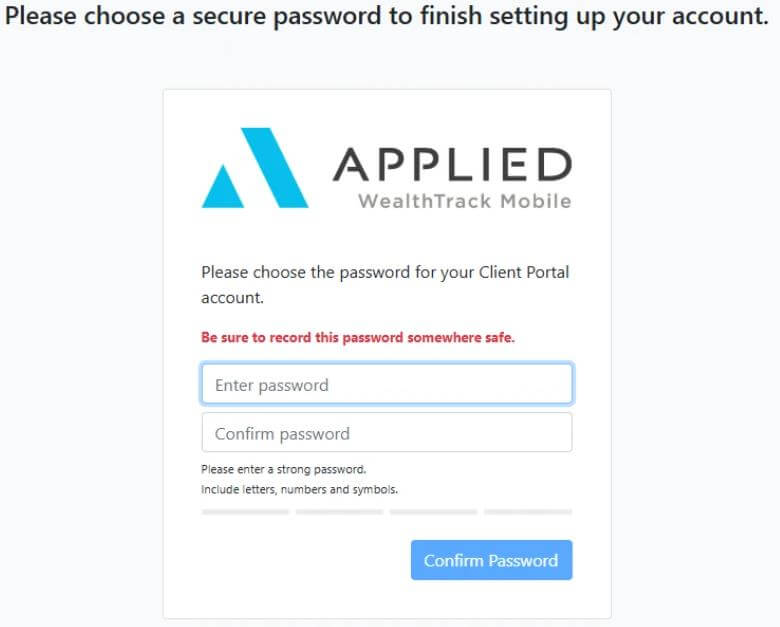
  • Set Client Password: Clicking the link in the email will direct you to a page where you must choose a secure password for your account. The system recommends recording this password in a safe place.

2. Secure Login and Verification

The portal uses multi-factor authentication to ensure your financial data remains secure.

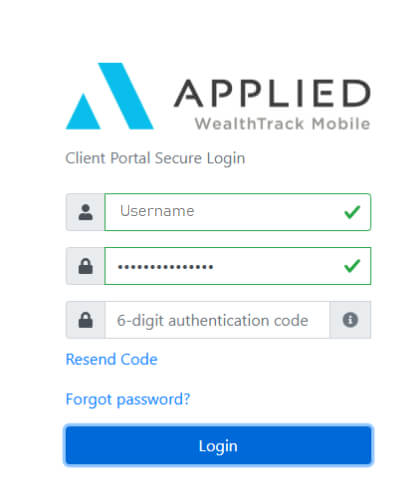
  • Credentials: Once the password is set, you will be taken to the secure login screen to enter your Username and Password.
  • Verification Code (PIN): After clicking “Login,” an email containing a 6-digit verification code will be emailed to you.
  • Complete Login: A third field will appear on the login screen for you to enter this PIN code to finalise your access.

Note the first time you will be required to set up a password, and you see the following screen:

3. Navigating the Client Dashboard

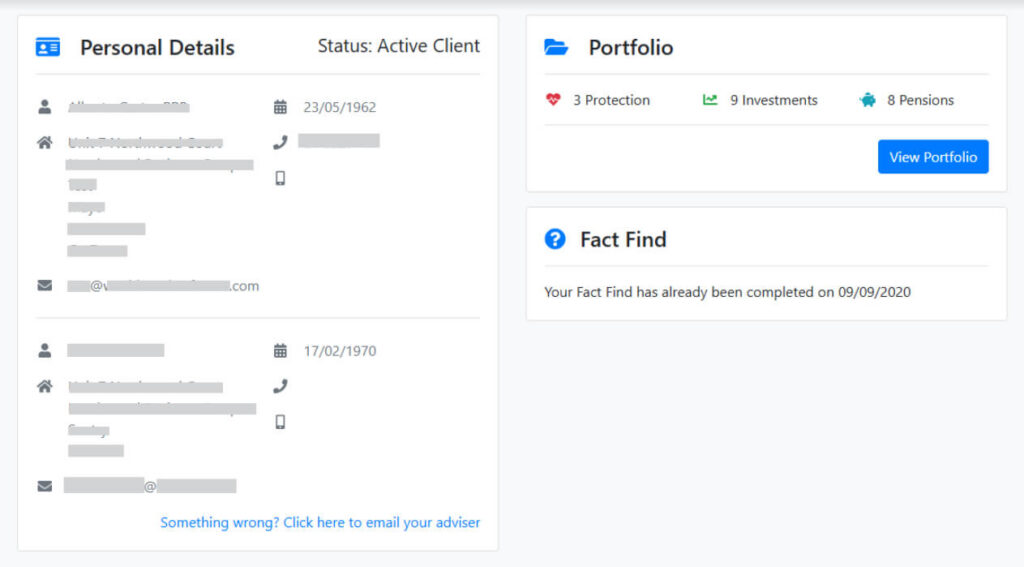
Upon successful login, you will arrive at their personal dashboard, which provides a high-level overview of:

  • Personal Details: This section displays your contact information and status for you and any associated parties (e.g., your spouse).
  • Portfolio Overview: The Portfolio tile gives a quick count of your Protection, Investment, and Pension accounts. You can click “View Portfolio” to see more granular details of your holdings

4. Completing Assessments

Your advisor may request specific information from you to better tailor their financial advice.

  • FactFind and Risk Questionnaire: These essential documents are available within the portal.
  • Accessing Links: You will be able to access these assessments if your advisor has sent the specific link from their internal management system to your portal home page. The dashboard will indicate the date on which a FactFind was last completed.

5. Contact

If, having followed the instructions outlined above, you are having difficulties accessing or navigating the Portal, please contact [email protected] or call us on 021 4251133 and we will be happy to assist.

If you have queries relating to your portfolio, please contact your McCarthy Financial Services financial advisor.